Description
Let's take a look at the One-Click Download Host Filejoker.net Take a closer look. We first had him on our radar in 2017, and today we'll take a look at him Premium Account, the Downloader, the Upload and the Support To test a file hoster, we first create a free account and upload a file for testing. Unfortunately, this wasn't directly possible with Filejoker. We had to write 2 emails to support first, who were able to help us the same day.
What is Filejoker? Filejoker is a File hosting service, which allows users to upload, store, and share files. The service also offers features like file transfer and secure cloud storage.
How does Filejoker work? Users can upload files to Filejoker and then receive Links, that they can share with others. These links allow other users to download the uploaded files.
Supported file types: Filejoker allows a variety of file types, including documents, images, videos, and archives. However, there are certain Terms and Conditions, that must be observed.
Filejoker voucher with promo code
Good news for everyone who regularly uses Filejoker.net! We have 10 exclusive vouchers with promo codes, with which you 10 % Discount you'll receive on your next purchases. But watch out: Only the fastest secure the deal! First come, first served – so don't wait too long before all the codes are gone. Grab your discount and save on your next download. Feel free to comment which coupon you used so I can keep this updated.
Voucher Promo Codes:
7q14k3qs5w6vnsk5
bsnn608oo6zvqup9
5j825zq36u6m81lx
sjkgzdipbn5l2jgy
8nvme0o229vwcrso
30rmvej3inwdawn7
p5eyrsyrb4p9fax8
rdqffx446mmgkisd
3ju4m7va47yv14t7
h48r2ezk3881hidq
Redeem your coupon at Filejoker.net and get the 10% discount *
Filejoker Download Test
For our download test, we have a 1000 megabits Internet connection available. This corresponds to a maximum download speed of approx. 125 MB per second. For our test, we have our VPN service turned off to get an unadulterated result. For the download, we are using the regular Google Chrome browser and the integrated download manager.
Free Filejoker Account slow download
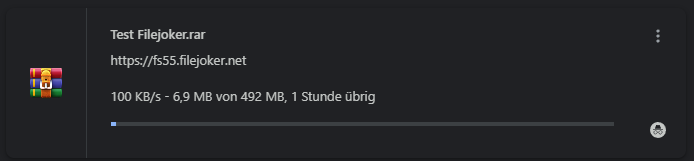
First, we'll test the free Filejoker account and download the file in slow mode. Before the download begins, we need to Solve captcha and 120 seconds of waiting wait. The start button is also a bit hidden at the bottom of the page. With the free account, we achieve a maximum download speed of 100 KB per second.
Update 07/19/2024The waiting time is now 120 seconds before the download starts.
Multihosters in Review
Currently, there is no multihoster that supports Filejoker. We therefore advise a premium account directly with the provider.
Update 02.16.2026:
The Premium Link Generator Cocoleech recently added support for the file hoster Filejoker, and premium users have the option to download 5 GB per day at approximately 4.2 MB/s.
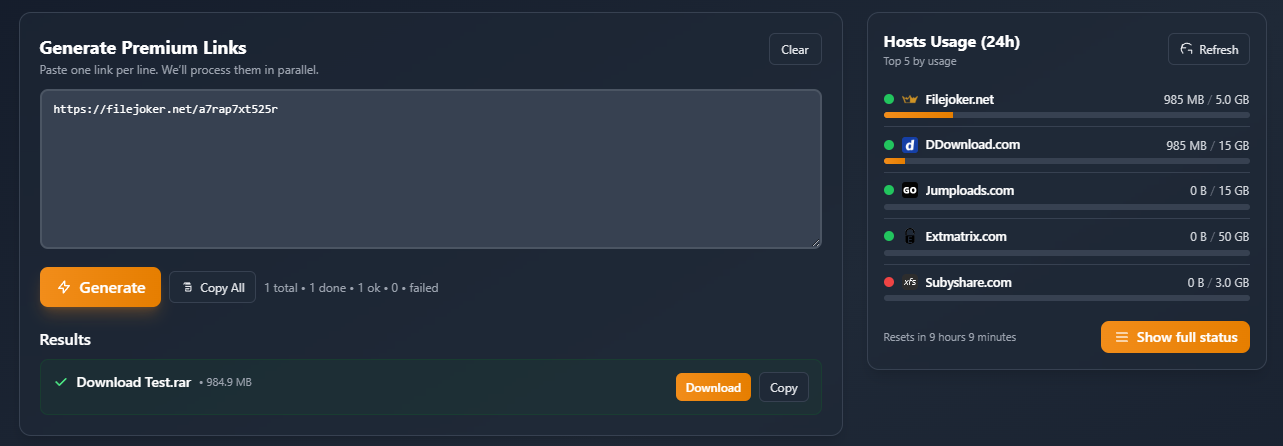
The following multi-hosters unfortunately do not support Filejoker:
File Upload Test
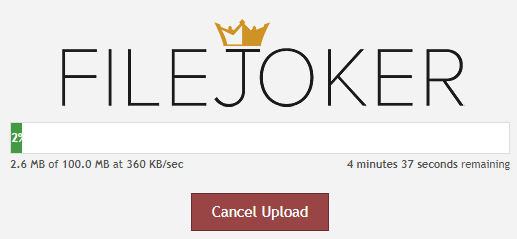
For uploading the file, we are using the Filejoker website and had no problems with it. We were able to upload our file at just under 350 KB per second, which is also the maximum upload speed matches our internet connection. The 100 MB were uploaded in just under 5 minutes.
Filejoker Premium and Premium VIP Accounts
Filejoker offers two different premium accounts. There’s the standard premium account and the Premium VIP, which costs an additional 50 %. However, the VIP account offers many benefits, such as anonymous downloads, unlimited file sizes, and the online video player. There is an additional $3 fee if you choose to pay via Sofortüberweisung. Unfortunately, prices were raised in 2024, but in return, there is now more traffic. Here’s a comparison of the two plans:
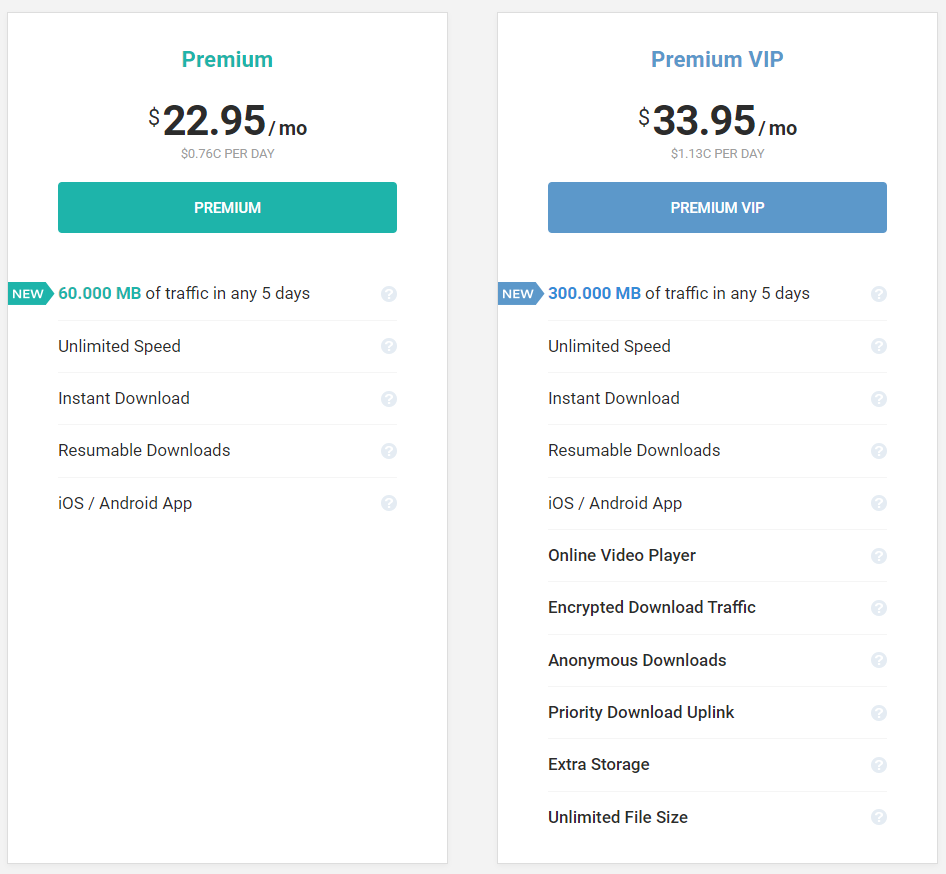
The old Premium VIP offer:
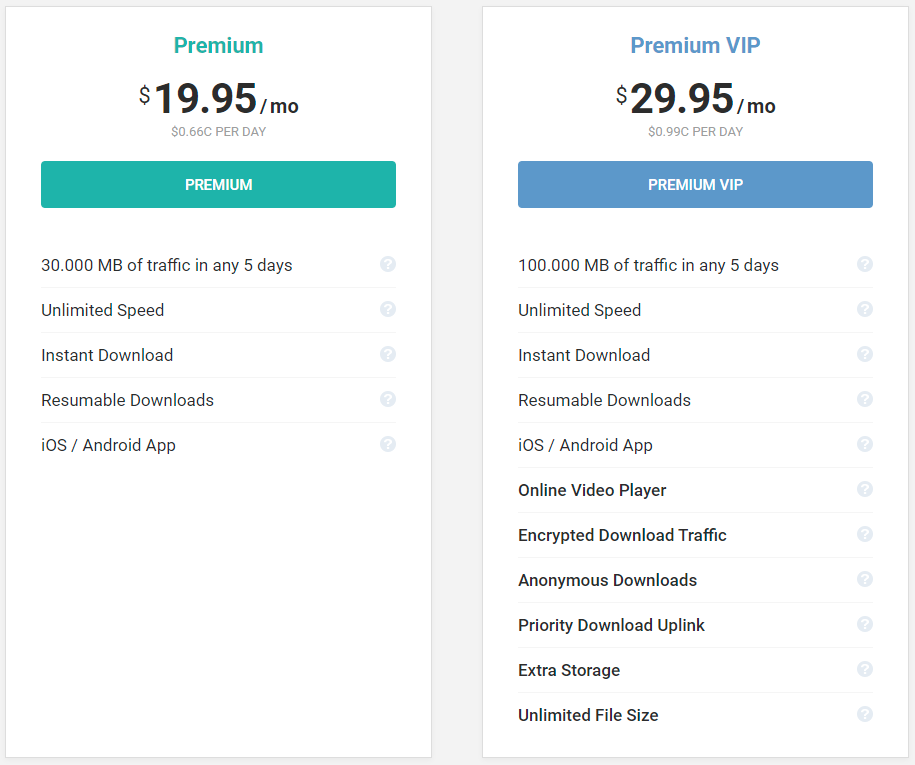
Filejoker Premium Account
The Filejoker Premium Account offers users a powerful and convenient solution for downloading large amounts of data in a short time. With a premium account, users get access to a generous data allowance of 30 GB within 5 consecutive days. This allowance automatically adjusts to usage, ensuring customers can access data whenever they need it most.
Additionally, customers benefit from unlimited download speeds; all downloads start instantly and can be easily paused or resumed as needed. To offer its customers even more convenience, Filejoker has developed an exclusive iOS/Android app that allows them to access their premium account directly from their devices.
Overall, Filejoker's premium account is an excellent choice for anyone needing fast and reliable access to large amounts of data for short periods. With its generous data allowance and fast download speeds, as well as the practical mobile app, this service makes downloading easier than ever!
Free vs. Premium Account A free account offers limited storage space, slower download speeds, and advertising. Premium Account offers more storage space, faster downloads, and additional features like parallel downloads and ad-free usage.
Purchasing a Premium Membership: The Premium Membership can be purchased on the official Filejoker website. Payment can be made through various methods such as credit cards, PayPal, or other supported payment options.
Advantages of a premium account: A premium account offers unlimited storage, faster download speeds, parallel downloads, and an ad-free user experience. These benefits may vary depending on the chosen Premium Plan vary.
Premium VIP Account
Filejoker.net offers its customers the convenience of a Premium VIP account, granting them access to an unprecedented 100 GB of data volume within a 5-day period. This data volume is automatically reset based on usage, allowing users to manage their data consumption flexibly and with versatility. The Premium VIP account also provides unlimited download speed, ensuring that users can be confident in the prompt and efficient completion of their downloads.
Furthermore, this premium account allows access to Filejoker.net via iOS/Android apps – giving users control over their data even on the go. MP4 video files can also be streamed and downloaded, offering even more convenience. Additionally, Filejoker ensures maximum security for its premium VIP account holders: they are further protected by state-of-the-art SHA-256 with RSA traffic encryption technology, used by leading companies in the banking industry worldwide, guaranteeing maximum security and anonymity when downloading files.
Other benefits of this account include Priority Download Uplink and Extra Storage, which allow users faster uploads and more storage space for their downloads – without any file size restrictions! All these features make Filejoker's Premium VIP account one of the best value-for-money offerings on the market.
The cost of the Premium account
Here you will find an overview of the costs for a Premium Account and a Premium Pro Account. The prices for the Filejoker Premium and Premium VIP Account have been increased by $5 per month. There are still significant discounts for longer subscription terms. The prices were last updated on July 16, 2024.
| Premium Account | Costs per month | Premium VIP Account | Costs per month | |
|---|---|---|---|---|
| 30 days | 19,95 $ | 19,95 $ | 29,95 $ | 29,95 $ |
| 90 days | 39,95 $ | 13,32 $ | 64,95 $ | 21,65 $ |
| 180 days | 79,95 $ | 13,32 $ | 99,95 $ | 16,65 $ |
| 365 days | 119,95 $ | 9,95 $ | 149,95 $ | 12,49 $ |
Payment Methods & Options
Filejoker offers its users various payment options to purchase a premium account.
The following payment methods are possible:
- Payment by credit card
- Payment via Sofortüberweisung (3 $ fee)
- Payment via Bitcoin (20 % longer term)
- Payment via PayPal (€7.55 fee)
- Payment via Skrill (no longer supported)
- Payment via Alipay
- Payment via online banking
- Payment via Webmoney (no longer supported)
- Payment via CoinPayments (extra free days)
Upload with a free account
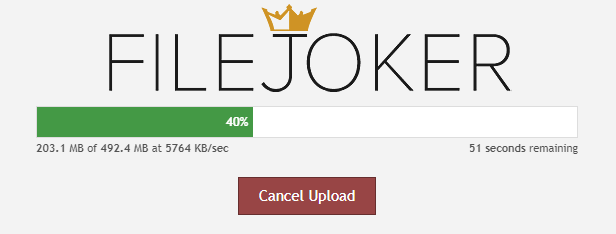
Upload options on Filejoker:
- Web Upload Users can upload files directly through the Filejoker website. After logging into their account, they can select the upload option and choose the desired files from their computer.
- Remote Upload: Filejoker also allows Upload later of files. Users can specify URLs of files that are located on other servers, and Filejoker will store these files on its servers.
- FTP Upload: Advanced users can transfer files via FTP (File Transfer Protocol) upload to your Filejoker account. This offers a convenient way to transfer large amounts of files.
- File manager: Filejoker offers a File manager available, which allows users to manage their uploaded files. Here, files can be renamed, moved, or deleted.
- Desktop Tools There may be desktop applications or third-party tools supported by Filejoker that can simplify the upload process.
- API Integration Developers have the option to Filejoker API to use for creating custom upload solutions or for uploading files automatically.
- File Browser Extensions: Some browser extensions could allow users to upload files directly from their web browser to Filejoker to simplify the process.
It is important to note that the exact upload capabilities of Filejoker may depend on the specific features and updates. Users should check the current instructions and features on the official Filejoker website.
Privacy settings Filejoker offers various privacy settings that allow users to control the Access to your uploaded files taxes. You can specify whether files are publicly accessible or private.
Alternatives to Filejoker: There are various other file-hosting services like Dropbox, Google Drive, Mega, and others that offer similar functionalities. The choice depends on individual requirements and preferences.
Frequently Asked Questions about Filejoker
1. What is Filejoker? Filejoker is a file hosting service that allows users to upload, store, and share files. It also offers features such as file transfer and secure cloud storage.
2. How does Filejoker work? Users can upload files to Filejoker and then receive links that they can share with others. These links allow other users to download the uploaded files.
3. What types of files can I upload to Filejoker? Filejoker allows a variety of file types, including documents, images, videos, and archives. However, there are certain restrictions and terms of use that must be observed.
4. Are my files safe on Filejoker? Filejoker implements security measures to ensure the privacy and safety of uploaded files. However, it is advisable to encrypt sensitive information and ensure you understand Filejoker's privacy policy.
5. Are there any restrictions on file size or bandwidth? Yes, Filejoker has restrictions on file size and bandwidth usage. Free users typically have limited storage and bandwidth, while premium users generally receive more storage space and faster downloads.
What is the difference between a free and a premium account? A free account has limited storage space, slower download speeds, and often displays advertisements. A premium account offers more storage space, faster downloads, and potentially additional features like parallel downloads and ad-free usage.
7. How can I purchase a premium account on Filejoker? The premium membership can be purchased on the official Filejoker website. Payment can be made through various methods such as credit cards, PayPal, or other supported payment options.
8. What are the benefits of a premium account? A premium account typically offers unlimited storage space, faster download speeds, parallel downloads, and an ad-free user experience. These benefits may vary depending on the premium plan chosen.
9. Is there a way to protect my uploaded files? Filejoker offers various privacy settings that allow you to control access to your uploaded files. For example, you can specify whether your files are publicly accessible or private.
10. What are the alternatives to Filejoker? There are various other file-hosting services like Dropbox, Google Drive, Mega, and others that offer similar functionalities. The choice depends on individual requirements and preferences.
Related Products






User Reviews
Comments
Samir 17. February 2021 um 23:58
Well, I think that's pretty outrageous. It clearly says 22.95$ for a 30-day VIP Premium account!
Actually, I was planning to buy an account using Visa/Mastercard.
When I confirmed the payment method, the 22.95 dollars suddenly became 22.95 euros!
Additionally, I should also pay a fee of 7 Euros!!!
So 19.05 euros (22.95$ converted to euros) turned into 29.95 euros!
Simply 10.90 Euros more than previously displayed.
No, thanks! I can do without such providers!