Jumploads: The File Hoster in Premium Review

(4 out of 5 stars by 1 ratings)
Type
PriceStarting at 10,67$; per month
Multihoster SupportCocoleech
Credit card
PayPal
Paysafecard
Bitcoin
Instant Bank Transfer
Amazon Pay
Skrill
WebMoney

Description

Jumploads.com is a file hoster, which, at first glance, positions itself exactly where many users have had a clear need for years: quickly uploading files, managing them neatly, and sharing them easily via link, without everything feeling like „Internet 2007.“ And it's precisely this first impression that is surprisingly strong with Jumploads. The interface appears tidy, modern, and pleasantly clear, registration is quick, and you immediately realize that someone here has at least understood what „simple functionality“ should look like today.

Especially when you've been around in this world for a long time, something like this is immediately noticeable. You have over 15 years of experience with file hosts and multi-hosts, have uploaded and downloaded pretty much everything over time, know download managers like JDownloader inside and out, and have also experienced the era with torrent files. With this background, you quickly notice whether a service just looks pretty or whether its use truly feels clean. With Jumploads, at least at the start, it seems like they've focused on modern, clear user guidance.

How Jumploads Basically Works

At its core, Jumploads is a classic one-click file hoster with cloud characteristics. You upload files, manage them in your account, and share them via links. For recipients, the whole process goes through a download page that has more or fewer „obstacles“ depending on the account level. The principle is familiar, but execution is what ultimately matters: How quickly do you get to your goal, how clean is the user experience, how annoying is free usage, and how fair is the premium offer.

Free Use vs. Premium: Where the Differences Really Lie

As with most file hosters, free use at Jumploads is more of a sampler. For small files or rare downloads, this might suffice. However, once things get bigger, more regular, or more professional, you typically hit limits, and that's exactly where a premium account comes in.

Premium is clearly positioned at Jumploads as a level of convenience and performance. Anyone who wants to download quickly, without ads, without annoying restrictions, and with download resuming, will inevitably end up in this category. This isn't automatically bad; you just have to put it into perspective realistically: Free is for occasional use, Premium is for serious use.

Prices: rather on the high side, but clearly communicated

In terms of price, Jumploads is not in the bargain segment. A month costs 17.95 Euros, which is noticeably higher compared to some other hosts. If you want to „test“ premium only for a short time, it feels more like a hurdle. On the other hand, there are longer subscription terms that put the price into perspective, but the initial entry is definitely more premium than impulse.

If you want to evaluate this fairly, it strongly depends on how you intend to use the service. Those who regularly upload or share large files will often see a stable, fast premium service as a „tool,“ not an „subscription.“ On the other hand, those who only download something now and then will likely view the monthly price critically.

A small drawback is that you currently don't have a voucher or discount code handy. Especially with a rather high monthly price, this is the point where many would gladly get started for cheaper.

Payment methods: solid selection, feels mature

What Jumploads does really well is the selection of payment options. PayPal is the most convenient and trusted solution for many, plus Bitcoin and Paysafecard, which in turn appeal to people who either want to remain flexible or simply want to pay without leaving classic bank or credit card traces. Credit card is also included. This mix, overall, feels very „file hoster typical“ but in a positive way: Broad, practical, without seeming shady.

The impression from practice: why design is suddenly important

Many file hosters have had a problem for years that you only notice when you've used many of them: the sites are either completely overloaded, have grown chaotically, or feel like a relic from the 2000s. You can find everything somehow, but it's never pleasant. Jumploads appears much more modern here. And that's not just cosmetic. A clear structure saves time, reduces misclicks, and makes daily use more bearable.

With your experience, you can immediately tell if a service is just a fresh coat of paint or if the workflow is right. Especially with tools like JDownloader and generally with „a lot of daily downloading,“ what counts in the end is whether you can quickly get from A to B without the platform constantly being in your way.

Where Jumploads can be particularly exciting

Jumploads is particularly interesting if you're looking for a service that feels modern, is quick to use, and has a clear separation between „free to check out“ and „serious premium use.“ The fact that you became aware of Jumploads as part of this year's Kocolit test fits in well because such tests often highlight providers that not everyone immediately has on their radar.

If you want to „take a first look“ at Jumploads now, that's a sensible approach. Especially because your first impression is positive, a brief practical check is worthwhile: upload flow, link sharing, stability, and how downloads feel in your typical setup.

Conclusion: good first impression, premium price as the main question

Ultimately, Jumploads is surprisingly well-rounded for starters. The platform is modern, clear, quick to set up, and generally makes a solid impression. The biggest drawback isn't the usability, but the pricing, especially for the monthly subscription. If you truly need premium because you regularly move large files, it might be okay. If you're only testing sporadically, the monthly price is more of a small hurdle.

What's positive about this again is the payment selection and the overall „adult“ presentation. If a file hoster still feels like 2008 in the year 2026, that's a warning sign. Jumploads feels more like today.

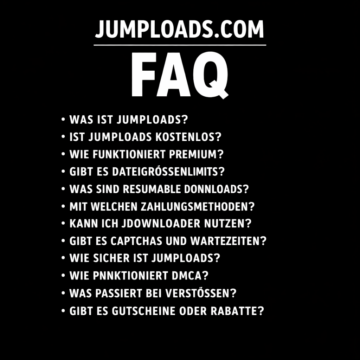
Jumploads.com FAQ

What is Jumploads anyway?

Jumploads is a file hoster, which is a service that allows you to upload, store online, manage, and share files via a link. In everyday terms: You store your files in your account and can make them available to others as a download link or access them yourself from different devices.

Who is Jumploads suitable for?

Jumploads is a particularly good fit for people who want to share files easily without dealing with complicated cloud setups. If you regularly move large files, work with download managers, or are simply looking for a modern-looking file hoster, Jumploads is an interesting candidate.

People typically use file hosters like Jumploads for: * **Sharing large files:** When files are too big to send via email or instant messaging, file hosters provide a way to upload them and share a download link. * **Backing up files:** Some users might use file hosters as a form of cloud backup for important documents or media. * **Distributing content:** Creators or individuals might use them to share software, music, videos, or other digital content with a wider audience. * **Anonymous sharing:** In some cases, users might prefer file hosters for sharing files anonymously where they don't want to reveal their identity.

Common use cases include sharing large files, providing project packages, exchanging media files, backing up non-extremely sensitive data, and distributing downloads to communities or customers.

Is there a free account on Jumploads

Yes, Jumploads has a free tier. It's usually intended for a trial and is sufficient for small files or infrequent downloads. In practice, free accounts often come with limitations on file size, convenience, and the download process.

What are the typical differences between Free and Premium?

The core difference is comfort plus performance. Premium usually means no ads, fewer obstacles when downloading, better speeds, download resuming, and fewer hard limits. Free is more like the basic tier with visible limitations to keep premium attractive.

What does „Resumable Downloads“ mean and why is it important

Resumable downloads means that a download can be continued after an interruption, instead of restarting from zero. This is extremely important for large files because even a brief connection drop would otherwise cost a lot of time. For experienced users who download a lot, this is often one of the most important premium arguments.

Can I use Jumploads with JDownloader

In many cases, one-click hosters can be used well with JDownloader or similar download managers. Whether it works perfectly, however, depends on how the hoster designs its download pages, captchas, waiting times, and token logic. If you use JDownloader, it's worth doing a quick test with multiple files to see how stable the interaction is.

Are there captchas or waiting times?

With many file hosts, captchas or waiting times are typical, especially in free mode. Premium accounts are usually precisely for removing or greatly reducing such hurdles.

How fast are downloads on Jumploads

The actual speed depends not only on the provider, but also on the time of day, server load, routing, and your own connection. Premium offers usually advertise maximum speed, but only an actual test can show if that's consistently reached in your setup.

Are there file size limits

Many file hosters have significantly stricter limitations in their free mode compared to their premium mode. Premium is often advertised with „no file size limits“ or considerably higher limits. If you regularly upload large archives, videos, or project folders, this is one of the most important points.

How much storage do I get

File hosts differ greatly here between free and premium. Free is often kept small, premium offers significantly more. For you, the crucial factor is whether you want to use the service more as a sharing host or as true cloud storage.

What does bandwidth or traffic limit mean

Bandwidth or traffic describes how much data volume is allowed to be transferred over a period of time. Premium plans often specify a monthly or periodic volume. This can become relevant if you have a lot of very large downloads.

Can I keep files private or only share them via a link

Normally, you can manage files in your account and then share them specifically via links. What's crucial is whether links are publicly indexed, if there's password protection, and how folder sharing behaves. If you want privacy, it's smart to only give links to recipients and not use filenames that are too unique.

Can folders be shared, or only individual files?

This depends on the internal system. Many file hosters offer individual files and sometimes also folders or collections. If you are sharing large sets, folder sharing or multi-file links are extremely practical. If this isn't available cleanly, many resort to archives.

What file types are allowed

File hosts generally allow „normal“ file types but prohibit content that violates laws or third-party rights. In practice, this is important because files can be removed and accounts blocked for violations.

Can I encrypt files

You can always encrypt it yourself before uploading, for example with 7-Zip, VeraCrypt, or similar tools. This is the best option if the content is truly sensitive. Statements by the hoster regarding „encryption“ often refer to transport encryption or server-side measures, but do not replace your own end-to-end encryption if you want maximum control.

How safe is Jumploads generally

With file hosts, the general rule is: It's okay for normal files and sharing, but for highly sensitive data, you should also encrypt them yourself. Security also depends on password hygiene, possible two-factor authentication, and how you handle links.

What if someone forwards my link

Then, in principle, anyone with the link can download it. That's always the risk with link sharing. If there's no password protection or expiration date, the link is as secure as how you handle it. That's why it's smart to encrypt sensitive files and distribute links only selectively.

Can Jumploads delete files or block accounts?

Yes, file hosters generally reserve this right, especially in cases of violation of terms of use or DMCA notices. This is standard in the industry and affects not only „bad“ users, but sometimes also cases where content is falsely reported. That's why backups outside of the hoster are useful.

DMCA stands for the Digital Millennium Copyright Act. It's relevant because it's a U.S. copyright law that aims to update copyright law for the digital age. It addresses issues like online copyright infringement, circumvention of digital rights management (DRM) technologies, and the liability of online service providers.

DMCA is a process by which rights holders can request the removal of copyrighted material. File hosts have processes for this. If you are sharing legitimate content, it usually won't affect you, but it explains why files can sometimes disappear.

What payment methods are available?

Typically, credit cards and PayPal are offered, often supplemented by alternative options like Bitcoin or Paysafecard. This is practical because it allows for different methods depending on user preference.

Why is the monthly price relatively high?

Many providers deliberately set a higher monthly price and offer more attractive conditions for longer contract terms or promotions. If you don't have a voucher, getting started therefore feels more expensive. For frequent users, it can still be worthwhile if the service performs reliably in your daily life.

Are there any vouchers or promotions

Some file hosters have voucher systems that work via codes. Whether promotions are currently running can usually be seen in the premium area or on partner sites. If you don't have a voucher, your only options are the regular booking or checking if promotions appear in the context of reviews and listings.

How do I best test Jumploads if I am experienced

You're taking your usual scenarios: multiple files, different sizes, downloads at different times, JDownloader usage, resume test, parallel connections, link sharing, and a look at how quickly free limits are reached in premium. If that's clean, the service is to be taken seriously.

What are typical red flags to watch out for with file hosters

If the website appears technically outdated, constantly redirects, has extremely aggressive pop-ups, unclear pricing, or the download process feels „tricky,“ caution is advised. A modern, clear UI isn't proof of quality, but it's often a good sign.

What is your overall impression, taking your experience into account?

From the perspective of someone with a lot of filehoster experience, Jumploads appears pleasantly modern and well-organized at first glance, which is exactly what many competitors lack. The critical point is less the design, but whether performance, stability, and the premium added value truly justify the higher entry price. Only everyday testing will show that in the end.

Share the post with your friends:

User Reviews

No reviews yet


Got a question or an opionen about this product? Share it with us!

Your email address will not be published. Required fields are marked *