
Description
File.al offers a service that allows you to easily store any kind of file online. It doesn't matter if they are images, videos, or audio files. This service is particularly useful when a file is too large to send via email, because once the file is uploaded to File.al, you only need to send the corresponding link and the file can be downloaded from anywhere in the world with internet access.
Multihoster Download
We have a 50 Mbit line available and have turned off the VPN.
File.al Linksnappy Test
Update 07.15.2020:
Today we were able to download from the file hoster File.al at maximum download speed. For the test, we used a Linksnappy Premium Account and JDownloader 2. We reached 7 MB per second, which is also the maximum speed of our internet connection.
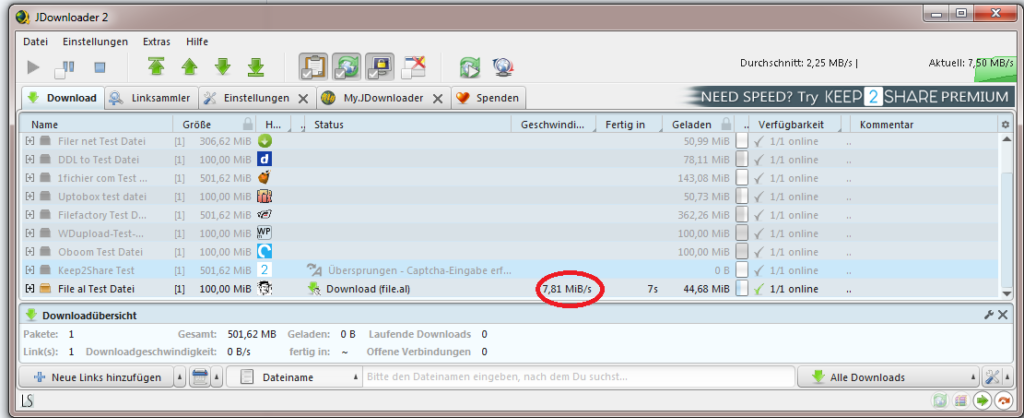
The multihoster Linksnappy supports File.al, but the support is only unstable. We achieved an average download speed of 70 KB per second.

Premiumize.me Download Test
With the multi-hoster Premiumize.me, the download unfortunately doesn't start. You only get the error message „Error starting download“.
Smoozed
The multi-hoster Smoozed claims to support File.al, but we were unable to reach the file hoster in our test.

Conditional support:
The multihosters Premiumize.me and Smoozed state that they support the file hoster File.al, but the connection is unstable. Our test also shows this:

The following multi-hosters do not support File.al:
- Linksnappy
Free Account Download
Upload Test
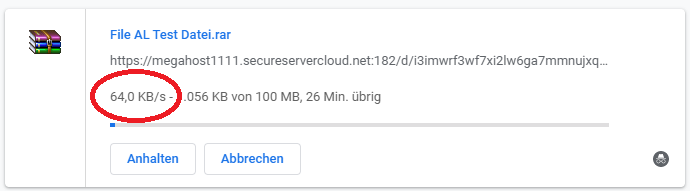
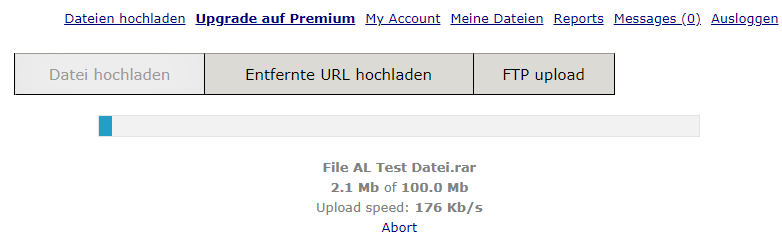
We tried to upload a file to File.al via the browser. The upload started immediately, but the upload speed was relatively slow. We only reached a maximum upload speed of 176 KB per second. The speed also fluctuated a lot, dropping back to 64 KB per second repeatedly. It's possible that FTP upload might achieve better results.
Update 07.15.2020:
I just had major problems with the upload. The upload kept failing, and at times I only reached a speed of 16 KB per second.
File.AL Premium Account
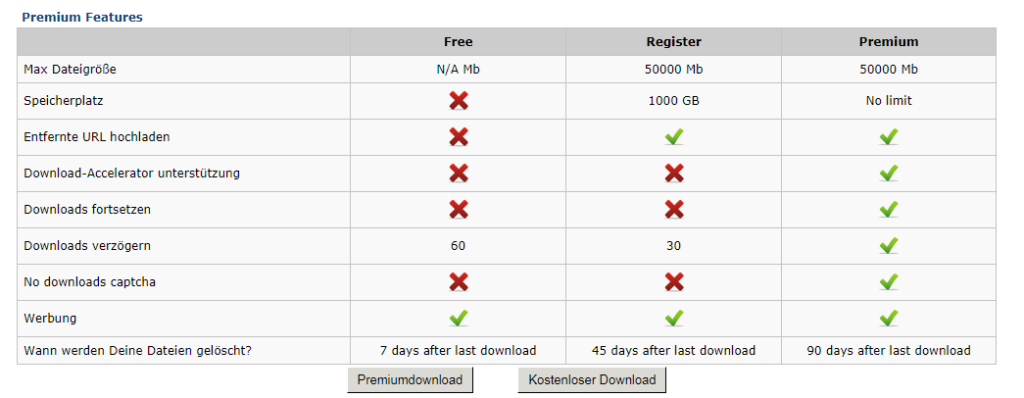
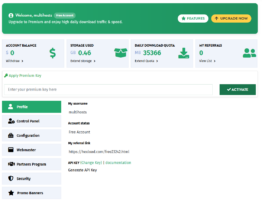
You have the option to choose between a premium account and a free account. In free mode, after registration, it is possible to upload files up to 50 gigabytes in size. Additionally, in free mode, you have 1000 gigabytes of online storage space. Files are stored online for 45 days, and if the file is downloaded during that time, the 45 days start over.
In a File.AL Premium Account, you can also upload files with a maximum size of 50 gigabytes. However, with a Premium Account, you have unlimited online storage, and uploaded files are only deleted after 90 days if they are not downloaded. The 90-day period also resets as soon as the file is downloaded.
Payment Options
File.al offers over a dozen different payment options for its premium account. Of course, these include credit card payments, PayPal, and Sofortüberweisung, but cryptocurrencies such as Bitcoin and Litecoin are also accepted as payment methods. You can save a considerable amount with the different terms of the premium account, because if you pay for a whole year in advance, the entire year costs only as much as five individually paid months.
Support
In addition to the General Terms and Conditions, which can be viewed at any time on the File.al homepage, the site also offers a news feature that regularly reports on temporary difficulties with payment service providers or similar issues.
Customer service uses a support ticket system where each customer inquiry is assigned a unique number for easier tracking. Support inquiries are also saved to allow for a complete overview of the request history and the corresponding support responses.
Conclusion
We haven't found a multihoster that reasonably supports File.Al. Those who want to download large amounts of data from this file hoster should purchase a premium account at File.al.
We have on June 15, 2020 Multihoster Linksnappy tested and can highly recommend it. We were able to download from File.Al at maximum speed.
Related Products







User Reviews
No reviews yet