
Description
Since Share-Online was taken offline, users are looking for new and secure file hosters. In this test, we'll take a look at the popular Filehoster DDownload.com (formerly DDL.to) and its Premium Account more closely. Of course, we also test which multi-hoster supports the hoster and how the Download speed ist. The DDownload.com Premium Account can be obtained from €15 for 30 days with various payment methods such as PayPal, Bitcoin, Credit card, Paysafecard, CashtoCode or buy via bank transfer. What's the catch, and what interesting news is there to report about this file hoster?
Download Test with Free Account
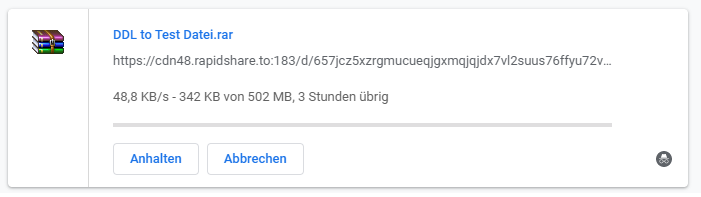
Of course, we also want to know what speed we can expect if we only have a free account at DDL.to. Before Download the test file do we need a Solve captcha. After that, the download starts immediately. The speed is 28-32 KB per second. This is no big surprise and is comparable to other file hosts. So, if you intend to download large files, you should bring a lot of time or get a DDownload.com Buy Premium Account or try a multihoster. In 2024, they the download speed with a free download account throttled to approx. 30 KB per second. Here's the current Download Test.
Which multi-hosters support DDownload.com?
As the era of major file hosters is over, many uploaders are switching to smaller providers. Now, you can't afford a premium account for every file hoster, and that's where multi-hosters come in. They offer decent download speeds and access to many one-click hosters without annoying ads or waiting times. We've looked at and, in some cases, tested various providers to see which multi-hosters support DDownload.com. We mostly gathered information from the respective provider's website and tested it ourselves.
The multi-hosters work with DDL.to:
- Linksnappy – Unlimited daily limit (Uptime 100%)
- Premiumize.me (mostly reliable and with maximum speed)
- Real-debrid.com
- Alldebrid.com
- Mega-debrid.eu – 30 GB per day
- Debrid-link.fr
- Debriditalia.com
- Zevera.com
The multihosters do not work with DDL.to:
- Simply-debrid.com
- Offcloud.com
- Multishare.cz
Premiumize.me DDownload.com Test
In our Premiumize.me Test We also tried to reach the file hoster DDownload.com. The service is actually unstable and indicates that the service may be slow or unavailable. Nevertheless, we were able to reach the file hoster with the remote downloader. The maximum download speed with the multihoster account was around 12 MB per second. For those who only want to download small files or only access the file hoster occasionally, Premiumize.me is a good alternative.

Linksnappy Multihoster Test
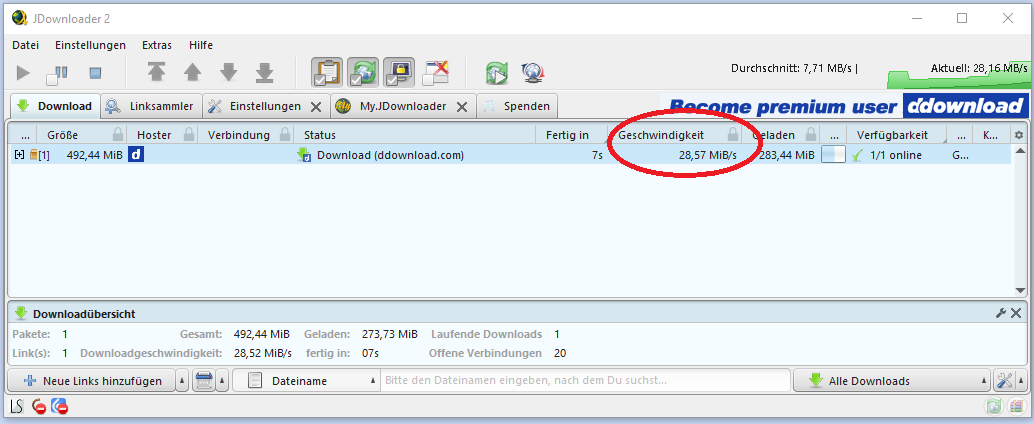
The Multihoster Linksnappy offers access to over 60 file hosts and the maximum download speed available with a Premium account. Today, we tested the download speed and availability of the DDownload.com test file using the multihoster. We have to give the provider credit for specifying that DDownload.com only supports 100%. We were able to download the test file in about 20 seconds and achieved a maximum Download speed of approx. 28 MB per second.
Download Update 2024: Today we were able to download at 28 megabytes per second from DDownload.com. For this, we used the download manager JDownloader 2 and the premium account from the multihoster Linksnappy.
The upload test with a free account
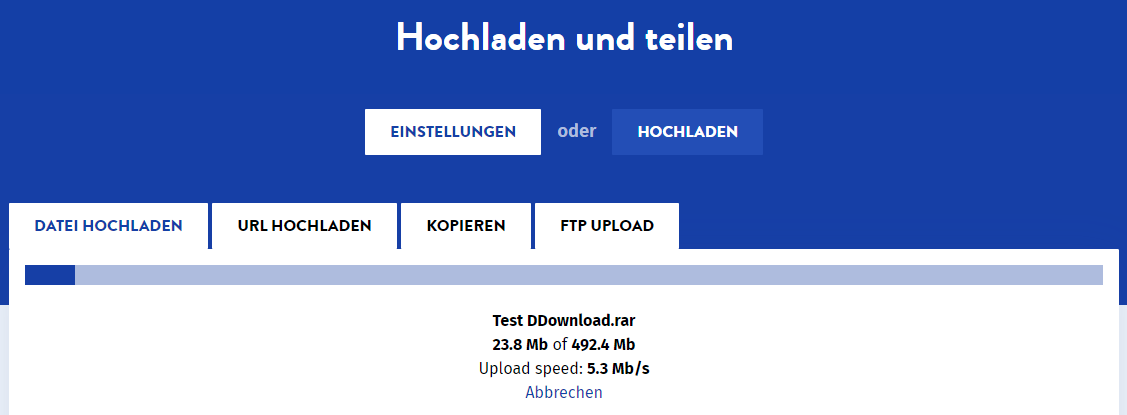
The upload works without problems on the file hoster, and we were able to [use/upload] the test file with Upload at full speed. The maximum file size is limited to 50 GB. Of course, you can also earn money with uploads on DDownload.com. The earnings with the file hoster usually depend on the number of downloads and the countries of origin.
File Upload Update 2026: File uploads still work excellently with the file hoster DDownload.com. The speed was over 10.6 megabytes per second and we simply used the Chrome browser and the website for it.
DDownload.com – Upload and Share Files
- Upload via the website:
- Click „Drag and drop files here or click to upload“.
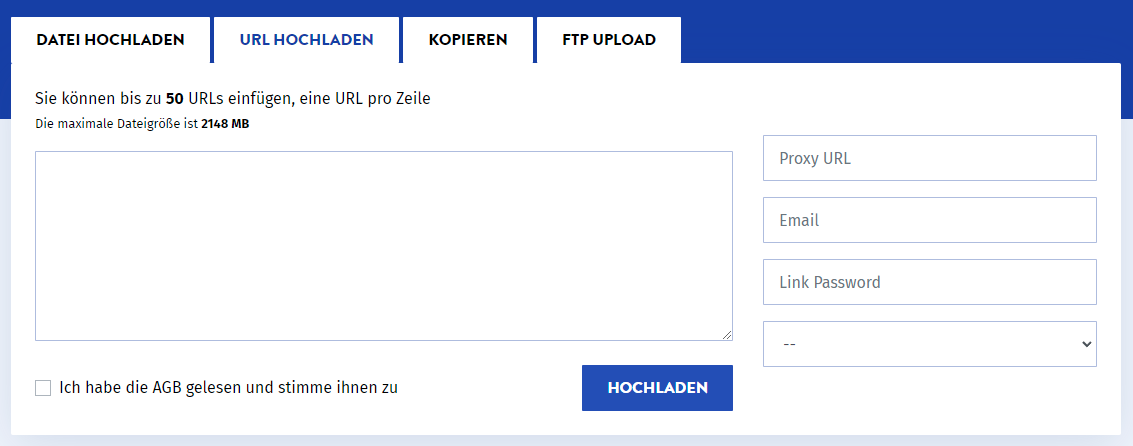
- Upload URL:
- You can up to 50 URLs paste, one URL per line.
- The maximum file size per upload is 50 GB.
- FTP Upload:
- For advanced users, the FTP upload option is available.
- FTP Host: ftp.ddownload.com
- Connection details for the FTP upload are available.
Upload speed: The Upload speed is about. 10.5 megabits per second, which enables a fast file transfer process.
Note: All features allow uploading and sharing files on DDownload.com, a user-friendly platform for file exchange.
What payment methods are available on DDownload.com?
There are many ways to purchase your DDL.to Premium Account. Many different payment methods are offered and constantly improved. Unfortunately, there is currently no option to pay with Paysafecard. This is not scheduled to be available again until Monday, which we will verify.
Another negative point is that PayPal and Credit card additional Fees come. Whoever his Buy DDL.to Premium Account with PayPal Anyone who wants to do so will have to pay a hefty 35% in additional fees. Using a credit card also incurs additional costs of 35%.
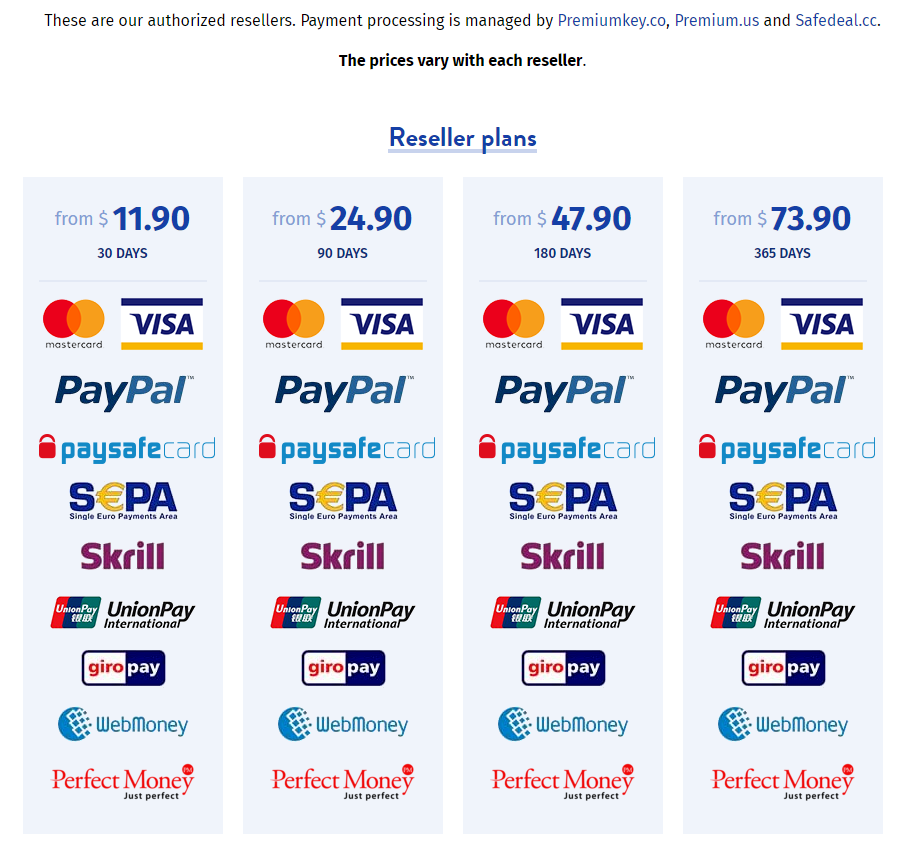
Good are of course the many Reseller, which offer the user additional payment methods. You can find more information directly on the website or get it from support.
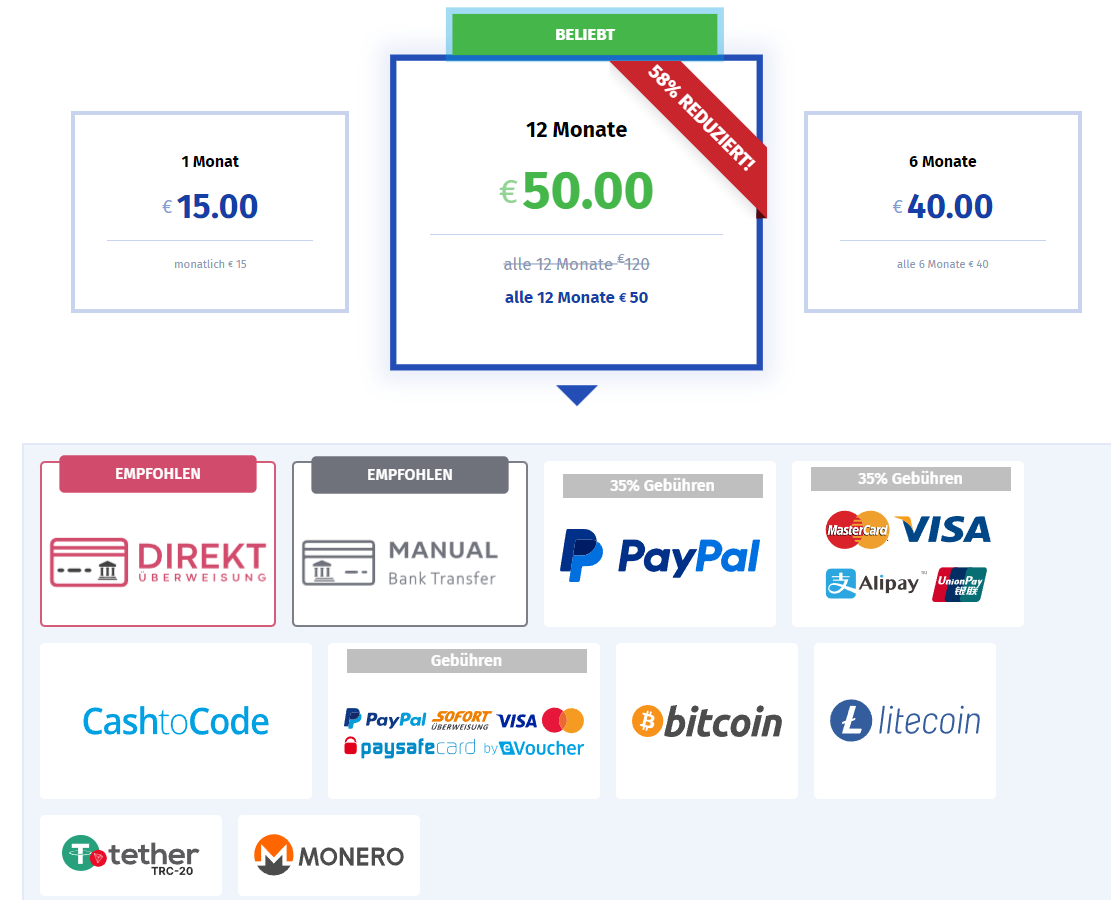
You can pay with the following payment methods at DDL.to:
- Payment by Credit card (35% Fees)
- Payment by PayPal (35% Fees)
- Payment by Bitcoin
- Payment by Instant Bank Transfer (in Euros only)
- Payment by Amazon Pay (in Euros only)
- Payment by Litecoin
- Payment by Bitcoin Cash
- Payment by Monero
Resellers offer the following payment methods (20% more expensive):
- Payment by PayPal
- Payment by Amazon Pay
- Payment by Paysafecard
- Payment by Skrill
- Payment by Giropay
- Payment by WebMoney
These payment methods are not directly available on DDownload.com:
- Payment by Giropay
- Payment by Skrill
- Payment by WebMoney
- Payment on account
- Payment by direct debit
- Payment in installments
- Cash on delivery
- Payment by check
- Payment by cash
Pricing for additional traffic
The prices are quite normal compared to other file hosters. However, you have to consider the daily download limit of 200GB per day Note: If you need more traffic, you'll have to pay extra for it. 100 GB costs an additional 15$ and can only be paid for with Bitcoin, Litecoin, or Bitcoin Cash.
| Data volume | 100 GB Traffic | 500 GB of data | 1000 GB Traffic |
|---|---|---|---|
| Price | 15$ | 60$ | 105$ |
| Price per GB | 0.15$ per GB | 0.121 TP4T per GB | 0.105$ per GB |
| Bitcoin | Bitcoin | Bitcoin | |
| Litecoin | Litecoin | Litecoin | |
| Bitcoin Cash | Bitcoin Cash | Bitcoin Cash |
News about the „Freehoster“
The file hoster DDL.to and the associated streaming service VUP.to were sold in November. The owner Vlado sold the projects to Hong Kong. At least that's what the blog Tarnkappe.info says. However, there are no indications of the change on the DDL.to website. According to Vlado's statement, making money with DDL.to was never the primary focus. It was meant to be a simple file hoster with a simple design.
However, comments speculate whether it is a „Fake sale“ in order to increase prices. Of course, it could also be because Share-Online was recently taken offline and the operator wanted to preempt this move.
In the end, it comes down to the service and the host themselves. We have no influence over what goes on behind the scenes.
- DDL.to is currently only accessible via DDownload.com, or one is redirected there.
- The daily data volume for the Premium Account has been doubled to 200GB daily.
Support
You can contact DDownload support through a ticket system. I tried it myself and got a response within 10 hours. I have to say, it was a Sunday and I was pleasantly surprised that support responded so quickly. My issue was also resolved, and I'm almost thrilled with the support.
Feel free to share your experiences with DDownload.com or rate the file hoster. If you have any questions, feel free to write in the comments!
Related Products






User Reviews
Comments
Robert 4. March 2020 um 23:20
I don’t know how you’re testing, but with Premiumize.me + DDL.to, I haven’t had any problems for months and am downloading at an average of 18 MB/s (JDownloader).
It's really annoying that some multi-hosters are constantly bad-mouthed when they are TOP!
I don't trust product reviews anymore.
Multihosts.de 5. March 2020 um 11:52
Thanks Robert for your contribution. We want to report our experiences with the multihoster as honestly as possible. Of course, our tests are only point-like and it can happen that we rate a multihoster too poorly or too well. With Premiumize.me, we have had almost exclusively good experiences and recommend the provider with a clear conscience. We repeated the test with Premiumize.me and DDL.to today and were able to download at the maximum speed of our internet connection.
Martin 6. February 2021 um 13:56
DDL.TO is definitely no longer accessible with Premiumize.me!