The best alternatives to Internet Download Manager (IDM)
The internet is full of resources that can be downloaded: videos, music, documents, and much more. To manage these downloads efficiently, many use Internet Download Manager (IDM). However, IDM is paid, and there are numerous free or cheaper alternatives that offer similar or even extended features. In this article, we present some of the best alternatives to IDM.
1. Free Download Manager (FDM)
Functions
Free Download Manager is a popular alternative to IDM, offering a wide range of features:
- Download accelerationAccelerates downloads by segmenting files and simultaneously downloading from different servers.
- Support for various file formatsCan download videos from YouTube and other platforms.
- BitTorrent SupportCan download and manage torrent files.
- User-friendly interfaceSimple and intuitive user interface that is also easy for beginners.
Advantages
- Free and Open Source.
- Supports Windows and macOS.
- Offers browser integration for Chrome, Firefox, Edge, and Safari.
Disadvantages
- The user interface might appear a bit dated to some users.
- Can heavily utilize system resources in rare cases.
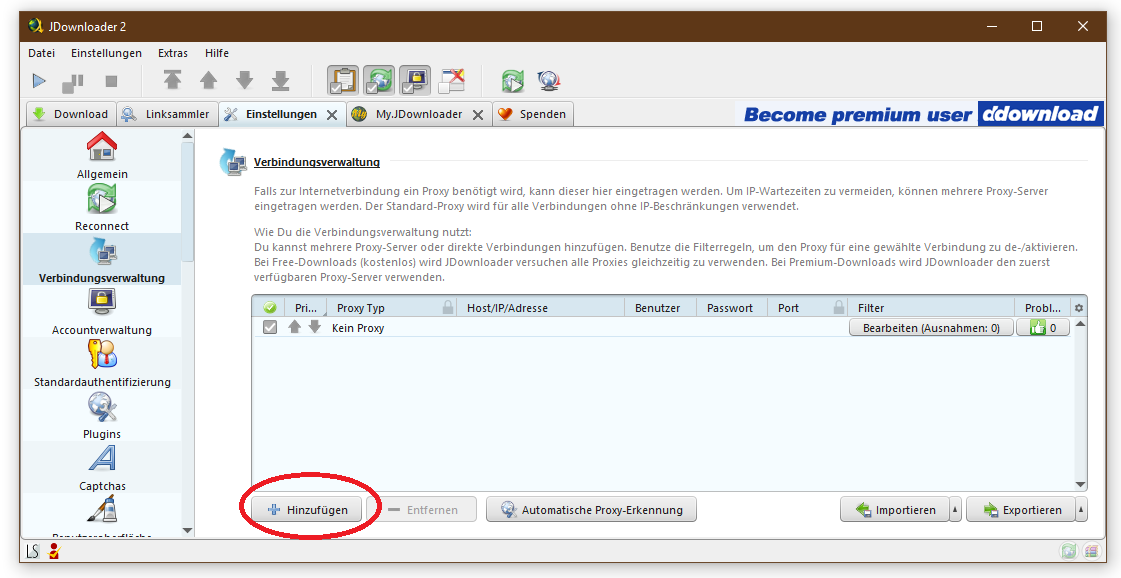
2. JDownloader
Functions
JDownloader is another powerful download management tool:
- Automatic Captcha RecognitionSaves time when downloading websites that use captchas.
- MultilingualSupports over 30 languages.
- Plug-in extensionsAllows customization and extension of functionality through plug-ins.
Advantages
- Free and Open Source.
- Supports numerous hosting sites and file formats.
- Cross-platform (Windows, macOS, Linux).
Disadvantages
- The installation can include additional software if you're not careful.
- The user interface isn't as modern as some other download managers.
3. EagleGet
Functions
EagleGet is a free download manager that scores with a modern user interface:
- Download accelerationSegments downloads for faster speed.
- Video SnifferDetects and downloads videos from websites.
- Malware-CheckerChecks downloaded files for viruses.
Advantages
- Free.
- Integrates well with all common browsers.
- Simple and appealing user interface.
Disadvantages
- The malware checker is not as reliable as dedicated antivirus programs.
- Support for Mac is limited.
4. uGet
Functions
uGet is a lightweight yet powerful download manager:
- Download QueuesOrganizes and prioritizes downloads.
- CLI SupportCan be controlled via the command line, ideal for power users.
- Batch DownloadsAllows simultaneous download of multiple files.
Advantages
- Free and Open Source.
- Low system requirements.
- Supports Windows, Linux, and Android.
Disadvantages
- No native support for macOS.
- The user interface is functional, but not very modern.
5. Xtreme Download Manager (XDM)
Functions
Xtreme Download Manager is a powerful download manager that is particularly well-suited for downloading videos:
- YouTube and other video websitesDownloads videos from practically any website.
- Download accelerationIncreases download speed through dynamic file segmentation.
- Browser IntegrationSupports all common browsers.
Advantages
- Free.
- Very powerful for video downloads.
- Cross-platform (Windows, macOS, Linux).
Disadvantages
- The user interface might seem cluttered for some users.
- Can take up a lot of storage space for large downloads.
Conclusion
Während der Internet Download Manager (IDM) eine beliebte Wahl ist, gibt es viele Alternativen, die kostenlos sind und eine Vielzahl von Funktionen bieten. Free Download Manager und JDownloader sind hervorragende Open-Source-Optionen, die leistungsstarke Features und eine breite Unterstützung bieten. EagleGet überzeugt durch eine moderne Benutzeroberfläche und Malware-Checker, während uGet durch seine Leichtigkeit und Anpassbarkeit punktet. Xtreme Download Manager ist besonders für Video-Downloads eine gute Wahl.
No matter what your requirements are for a download manager, there's sure to be an alternative to IDM that meets your needs and helps you manage your downloads efficiently and securely.
FAQ on Alternatives to Internet Download Manager (IDM)
1. What is a download manager and why should I use one?
A download manager is a program that organizes and speeds up the downloading of files from the internet. Benefits of a download manager include:
- Accelerated DownloadsSegmenting files can significantly increase download speed.
- Continue interrupted downloadsIf a download is interrupted, it can often be resumed at the same point.
- Download ManagementYou can organize, prioritize, and schedule your downloads.
What free alternatives to IDM are there?
Some of the best free alternatives to IDM are:
- Free Download Manager (FDM)
- JDownloader
- EagleGet
- uGet
- Xtreme Download Manager (XDM)
Is Free Download Manager really free?
Yes, Free Download Manager is completely free and open source. There are no hidden costs or premium versions.
4. Do these alternatives also support downloading videos from YouTube and other websites?
Yes, most alternatives like Free Download Manager, JDownloader, and Xtreme Download Manager support downloading videos from YouTube and many other video websites.
5. Can I also use these download managers on my Mac?
Many of the alternatives mentioned are cross-platform and support macOS. These include:
- Free Download Manager (FDM)
- JDownloader
- Xtreme Download Manager (XDM) EagleGet has limited support for Mac, and uGet is primarily available for Windows and Linux.
How safe are these download managers?
Most of the download managers mentioned here are open source, meaning their code is publicly verifiable. Programs like EagleGet even include built-in malware checkers. However, it's always advisable to scan downloaded files with a reliable antivirus program.
7. Which of these alternatives have the best integrations with web browsers?
Many of these alternatives offer good browser integrations:
- Free Download Manager (FDM) supports Chrome, Firefox, Edge, and Safari.
- JDownloader and EagleGet integrate equally well into all common browsers.
- Xtreme Download Manager (XDM) has comprehensive support for all major browsers.
8. Can I also download torrents with these download managers?
Yes, some of the download managers mentioned here support downloading torrents. Particularly noteworthy are:
- Free Download Manager (FDM)
- JDownloader
9. Are these download managers easy to use?
Usability varies depending on the program:
- Free Download Manager (FDM) and EagleGet offer a user-friendly interface that is also easy to understand for beginners.
- JDownloader and uGet also have intuitive interfaces, but can be a bit overwhelming for new users.
- Xtreme Download Manager (XDM) bietet viele Funktionen, die für Anfänger und fortgeschrittene Nutzer gleichermaßen nützlich sind.
10. Welche Alternative eignet sich am besten für das Herunterladen großer Dateien?
Für das Herunterladen großer Dateien sind besonders geeignet:
- Free Download Manager (FDM) wegen seiner Download-Beschleunigung und Zuverlässigkeit.
- JDownloader, da es viele Funktionen zum Fortsetzen und Organisieren großer Downloads bietet.
- Xtreme Download Manager (XDM) durch seine effiziente Segmentierung und Download-Beschleunigung.
11. Wie kann ich meinen bevorzugten Download-Manager installieren?
Die Installation ist in der Regel unkompliziert:
- Besuchen Sie die offizielle Website des Download-Managers.
- Laden Sie die Installationsdatei herunter.
- Führen Sie die Installationsdatei aus und folgen Sie den Anweisungen des Installationsassistenten.
12. Sind diese Download-Manager auch für Linux verfügbar?
Ja, einige dieser Download-Manager sind auch für Linux verfügbar:
- JDownloader
- uGet
- Xtreme Download Manager (XDM)
13. Gibt es Nachteile bei der Verwendung dieser Alternativen im Vergleich zu IDM?
Während viele Alternativen ähnliche Funktionen bieten, gibt es einige Unterschiede:
- IDM bietet eine besonders nahtlose Integration und benutzerfreundliche Oberfläche.
- Einige kostenlose Alternativen können Werbung enthalten oder bieten nicht den gleichen Support wie IDM.
- Die Geschwindigkeit und Zuverlässigkeit können je nach Programm und Internetverbindung variieren.
14. Bieten diese Alternativen Unterstützung und Updates?
Ja, die meisten dieser Download-Manager, insbesondere die Open-Source-Optionen wie Free Download Manager und JDownloader, werden regelmäßig aktualisiert und bieten Unterstützung über Community-Foren und offizielle Websites.
15. Kann ich mehrere Download-Manager gleichzeitig verwenden?
Technisch gesehen können Sie mehrere Download-Manager auf Ihrem Computer installiert haben, aber es wird empfohlen, jeweils nur einen aktiv zu verwenden, um Konflikte und Überlastung Ihres Systems zu vermeiden.
Wir hoffen, dass dieses FAQ Ihnen hilft, die beste Alternative zu IDM für Ihre Bedürfnisse zu finden. Viel Erfolg beim Herunterladen









No Comments found