Setting up Linksnappy JDownloader 2 How to Do It
After Share-Online was taken offline, many users are switching to so-called Multihoster. You only need one account and can download from many file hosters in premium mode. You'll find the best provider in our Multihoster Comparison. Many users swear by the Download Manager JDownloader. Hier findest Du eine Step-by-step Instructions, how you your account at Linksnappy with the JDownloader 2 connect can.
Using Linksnappy with JDownloader
Linksnappy is one of the best and most reliable multihosters on the market. The provider can be used in combination with JDownloader. To fully Download speed and to be able to access all file hosts, you need a Premium Account at Linksnappy. With your premium account, you can then combine it with JDownloader for very convenient and without major problems download larger amounts of data.
- First, download the current version des JDownloader Download for free from the website. Select your operating system and start the download.
- Next, you will create yourself a Account at Linksnappy. To do this, simply click the link and on the website, go to „Register„You only need to enter your email address and you'll receive all important information via email.
- Get yourself a Premium Account, so you can enjoy all the benefits. Prices start at 4,99$ for 7 days.
Now you have met all the prerequisites to connect Linksnappy with JDownloader. Here's a step-by-step guide with screenshots to show you where the settings are.
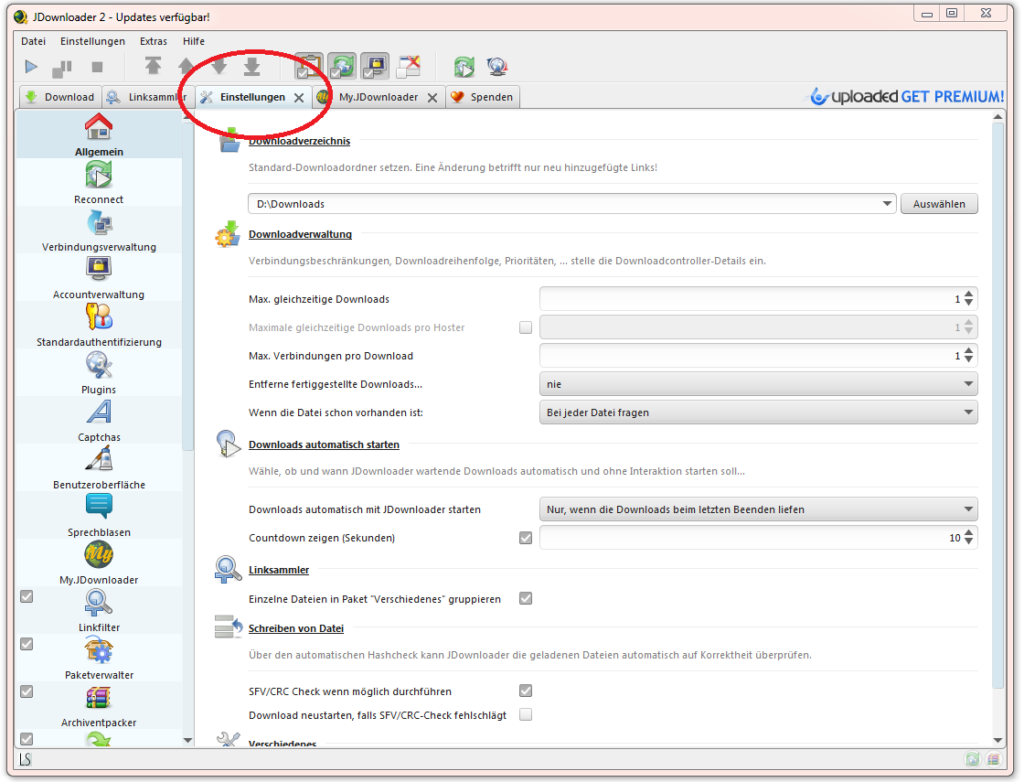
Open JDownloader and select the Settings tab.
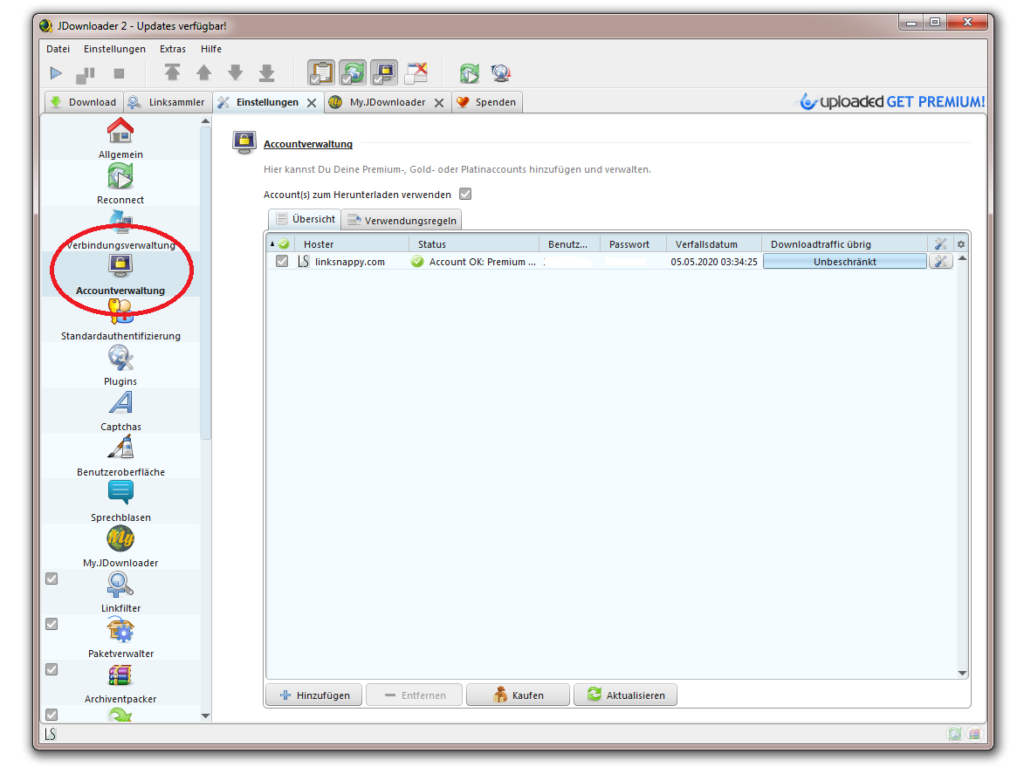
Under Settings, on the left side, you'll find the Account Management tabs. Click on this, and on the right side, you'll find all the file hoster and multihoster accounts. As you can see, I've also set up a Linksnappy account on JDownloader myself. Next to the account, you'll find important data such as the status, the Usernames, the Password, how long the account is still valid and the download limit. For Linksnappy, the last point is irrelevant, as you have unlimited traffic with most file hosters.
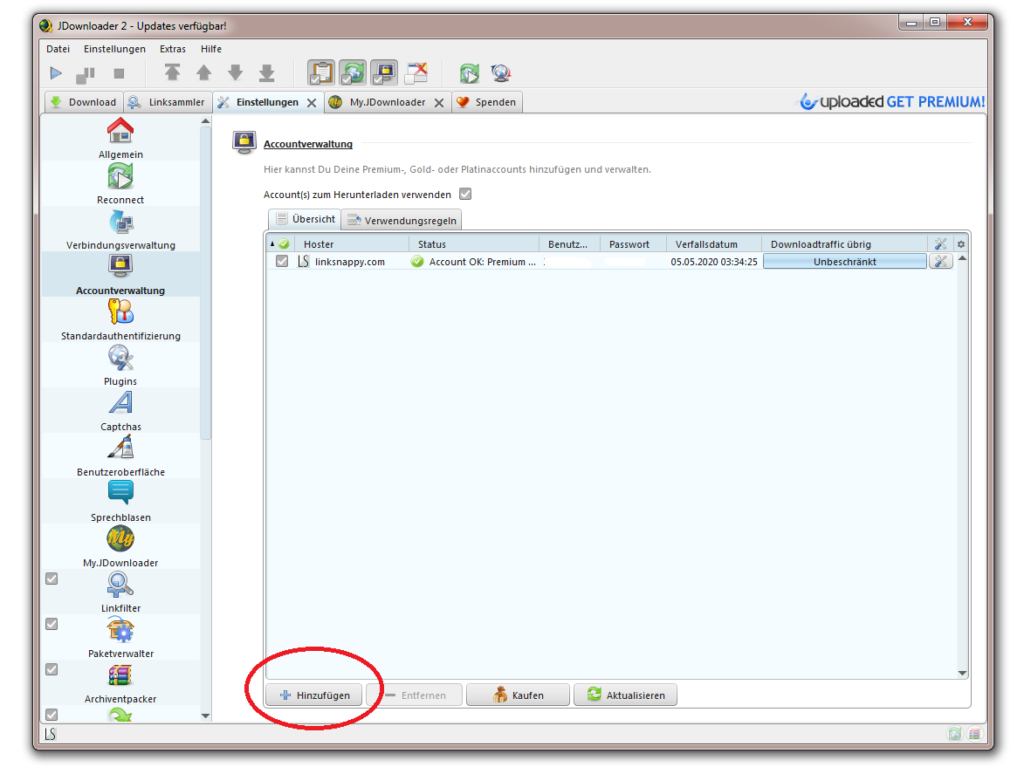
Click „Add“ to connect Linksnappy with JDownloader.
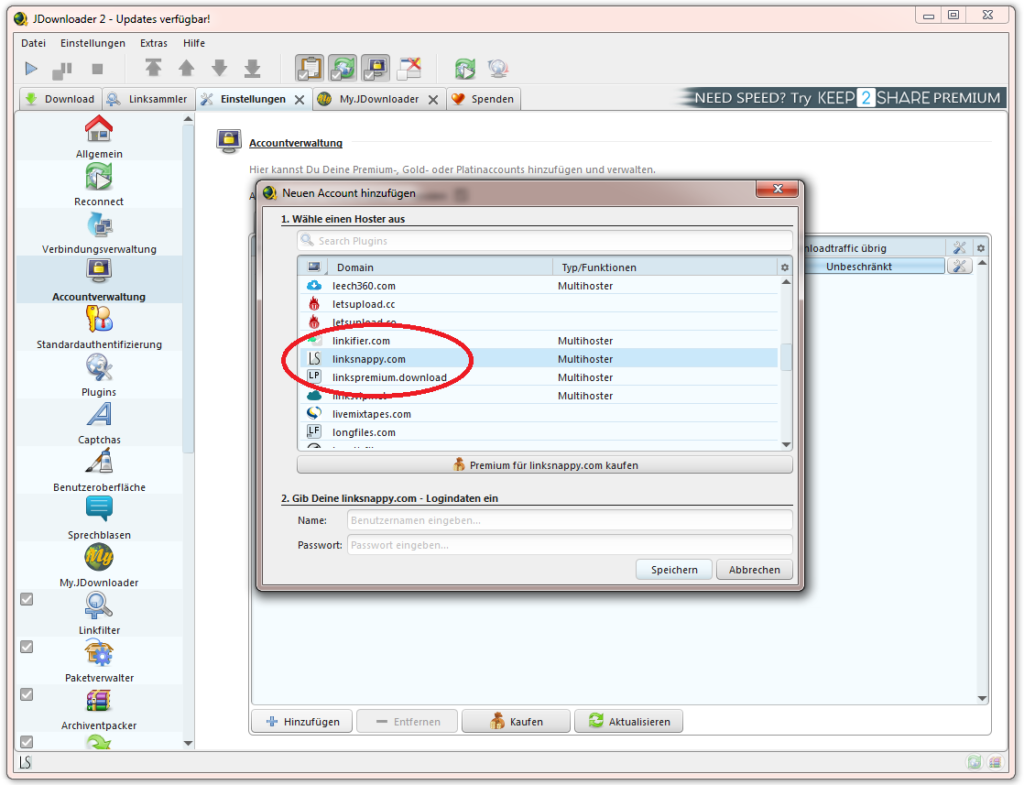
Select Linksnappy from the list or use the search function.
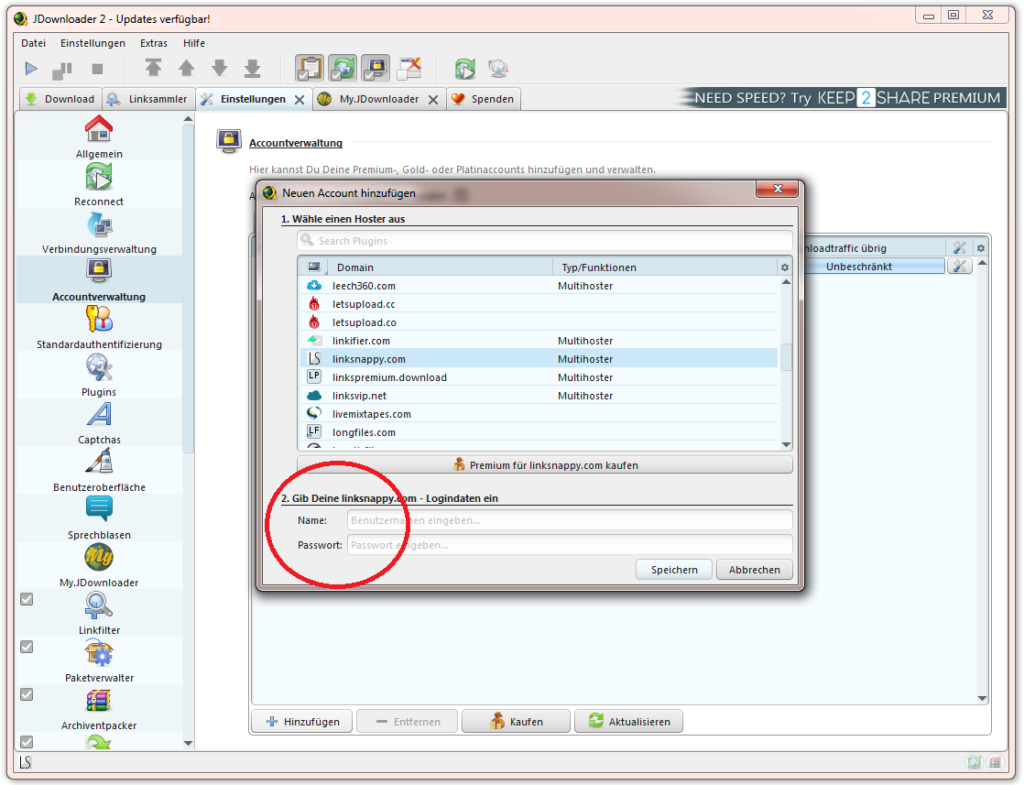
Next, you just need to enter the username and password for your Linksnappy account and click „Save“Click.
I hope the instructions helped you. If you Questions or Problems if you have JDownloader 2 or Linksnappy, you can gladly put them into the Comments write. I will answer them as quickly as possible. Of course, you can also connect all other multi-hosters to the download manager in the same way.
Last updated on 04/28/2024







Comments
HORST 27. April 2020 at 14:09
Hello, I have a problem with Linksnappy with JDownloader. Files are downloading very slowly, averaging 100 KB/s. When I go to account management, it says temporarily deactivated, and the status says "Download limit reached." I have a 30-day premium account. I've tried several downloaders, which worked well for a short time. Is there anything else I can adjust somewhere?
Rolf 10. March 2021 at 12:17
Hello everyone,
I am having speed problems with JDownloader and Linksnappy (cript.to or rapidgator.net).
I have a Linksnappy premium account, and despite that, I'm only downloading at 20 kb/s.
Reinstallation already performed, no change.
Who knows advice?
Thank you
Alfred 4. June 2022 at 10:47
Bye, thanks, works great. Greetings Alfred
Egbert 28. February 2024 at 09:49
What do you need to set in JDownloader for a multi-hoster so that all other websites are recognized from which you want to download? Thanks for your answers.
Mike 30. December 2025 at 17:27
Hello, I'm using Linksnappy + JDownloader + and currently have the problem that the Error Code 087 occurs with hotlink files.
manufacturing.