
Description
The Multihoster Real-Debrid has a very interesting offer. The Premium Account for 15 days it costs only €3 and there are over 30 File hoster supported. In our test, we take the service, the downloadSpeed and accessibility more closely. We'll examine the current Host List, the Costs and the different payment methods (PayPal, Bitcoin, Paysafecardand.
Test Download Real-Debrid
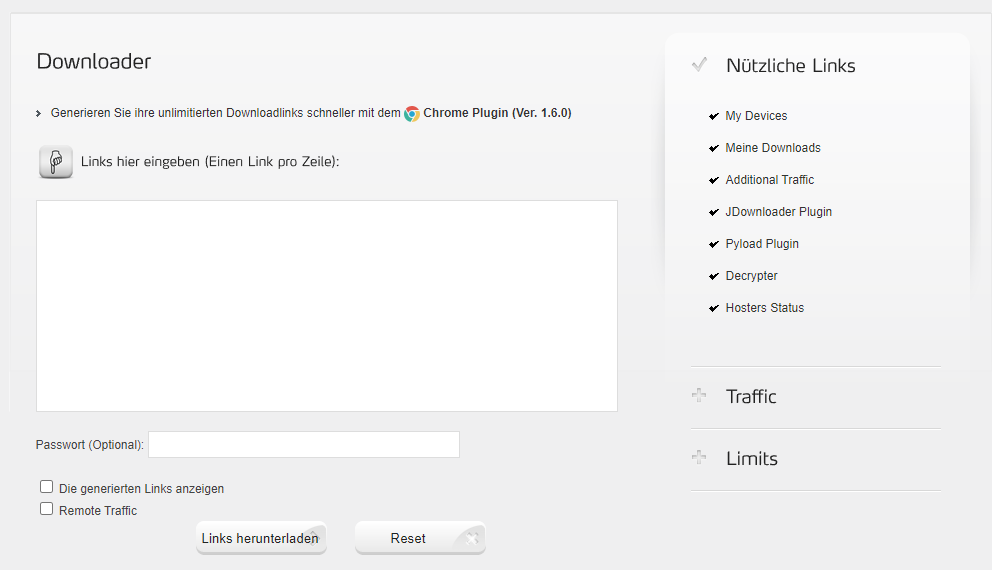
For our multihoster test, we have a 1000 Mbit internet connection available (maximum 125 MB per second download) and we are using the download manager. JDownloader 2 or directly through the Real-Debrid browser or website. We've disabled the VPN as an exception to get an unbiased result. However, we advise every user to use one VPN to use, who wants to move anonymously on the internet.
Download Real-Debrid Torrent Files
Real-Debrid can significantly improve downloading torrent files and streaming content by giving you access to additional premium servers and faster downloads. Here's a step-by-step guide on how to use Real-Debrid for torrents:
1. Create a Real-Debrid account
If you don't have a Real-Debrid account yet, go to Real-Debrid Website and register. You need a Premium account to use the advanced features.
2. Install and configure a torrent client
To use Torrents with Real-Debrid, you need a torrent client that is compatible with Real-Debrid. Most modern torrent clients support Real-Debrid through special plugins or integrations. Here are the steps you can follow:
- Download a torrent client: Popular options include qBittorrent, µTorrent (uTorrent), or Deluge.
- Install the client: Follow the installation instructions for your chosen client.
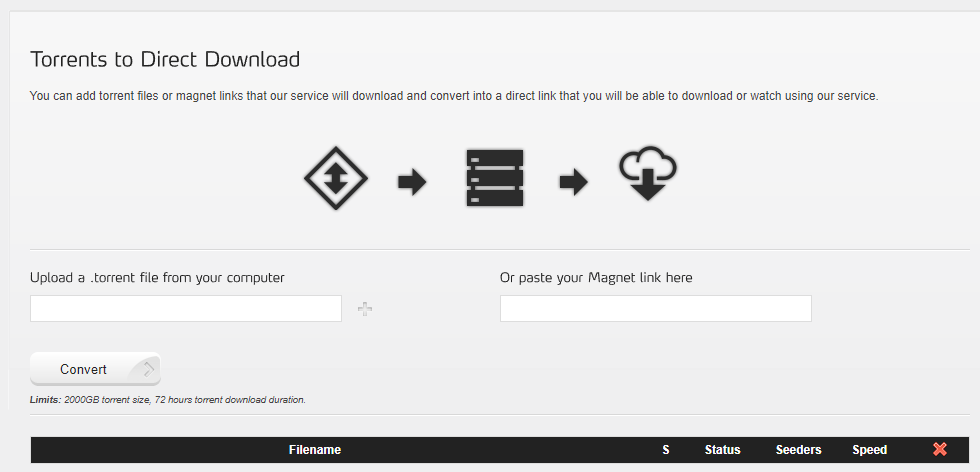
3. Integrate Real-Debrid into the torrent client
Real-Debrid works best with specific torrent clients and plugins. The integration can vary depending on the client, but here are the general steps:
- For qBittorrent:
- Install the „Real-Debrid“ plugin for qBittorrent, if available.
- Go to the plugin settings and enter your Real-Debrid credentials.
- For µTorrent or BitTorrent:
- You can often integrate Real-Debrid directly into the client via the API by using the „Real-Debrid“ plugin or add-on.
- Go to the client's settings or add-ons and add your Real-Debrid information.
4. Download the torrent file or magnet link
- Find a torrent: Search for the torrent file or magnet link for the file you want to download.
- Open the torrent file in the client Drag the .torrent file into the window of your torrent client or add the magnet link.
5. Use Real-Debrid to download the torrent file
If you have Real-Debrid integrated into your torrent client:
- Select Real-Debrid as the source: Ensure your torrent client is configured to use Real-Debrid as a preferred source. This means your client will utilize Real-Debrid's premium servers to download the file.
- Start the download: Your torrent client should now be downloading the file via Real-Debrid servers, which typically offers faster speeds and better quality.
6. Monitor and manage the download
- Check charging speed: The download speed should be improved by using Real-Debrid.
- Download the entire file: Wait for the download to complete. Real-Debrid typically offers more stable and faster connections.
7. Seed the file (optional)
After the download is complete, you can continue to share the file by keeping it available on the torrent network. This is especially helpful for giving back to the torrent community.
Important Notes:
- Check the security: Even though Real-Debrid improves download speeds, you should ensure that the downloaded content is safe and legal.
- Check integrity: Ensure the torrent client integration is set up correctly, and Real-Debrid is functioning as expected.
With these steps, you can use Real-Debrid to improve your torrent downloads and enjoy a better streaming experience.
Uploaded.net
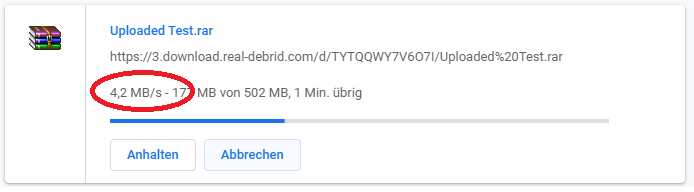
With Real-Debrid, we were able to test our file on Uploaded.net no problem achieve and were able to reach them with an average 4 MB per second download. We were able to download the 500 MB in under 2 minutes. The speed was a little slower than hoped.
Turbobit.net
Also the file hoster Turbobit.net we were able to reach Real-Debrit directly and almost reached the maximum download speed. We were able to transfer the test file with nearly 6 MB per second download and needed about 90 seconds for 500 MB.

Rapidgator
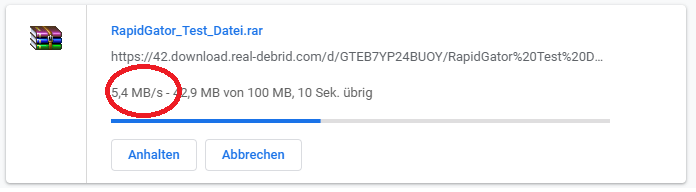
Our experiences with Real-Debrid have been very good so far and also Rapidgator we were able to reach immediately. We were able to get the test file with just under 5 MB per second download. The speed dropped a bit towards the end, fluctuating between 2 and 6 MB per second.
Real-Debrid Hosters List
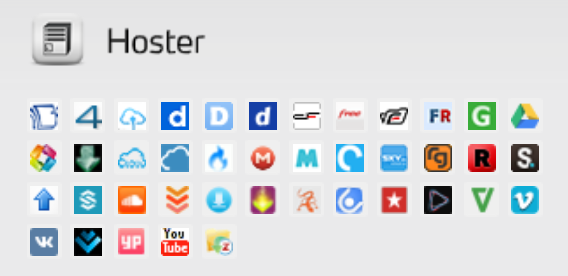
The following file hosters are supported by Real-Debrid. The hoster list is from 03/20/2020 and is updated at irregular intervals. Anyone who wants an up-to-date overview should best check the Real-Debrid website directly.
Payment Options
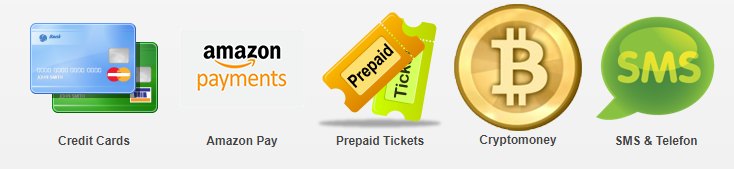
Like any other user, we purchased an account with Real-Debrid for €3 to test it out and gather our own experiences.
The payment options are very limited, and we particularly miss the ability to pay with PayPal.
We paid for our Real-Debrid Premium access with Bitcoin. In addition to the €3, there were €0.17 in fees. The transaction went through without any problems.
Real-Debrid offers the following payment methods:
- Credit card
- Amazon Pay
- Prepaid Tickets (Paysafecard & Neosurf)
- Cryptocurrencies (Bitcoin & Ethereum)
- SMS & Phone
The support
The support is definitely worse than with other providers. We only found a Facebook page, a Twitter account, and a very limited FAQ page. We searched in vain for an email address or live chat.
Security – Data is being stored
How secure is Real-Debrid really? On the website under the Privacy section, you can find the following paragraph.
File links that users download are stored in a database for legal purposes and our internal use. All saved links are deleted within one month for security and service reasons. However, all requests made on our site are stored for one year, the legal retention period.
translates to:
File links downloaded by users are stored in a database for legal and internal use. All stored links are deleted within one month for security and service reasons. However, all requests made on our website are stored for 1 year, which is the statutory retention period.
This statement actually makes the service unusable. Who wants their data to be stored for over a year?! A VPN or anything similar won't help with that.
Security Upgrade: Two-Factor Authentication
For all those using Real-Debrid, there's an important security measure you should know about: Two-Factor Authentication (2FA). This extra layer of security protects your account by requiring a second verification factor in addition to your password, taking the protection of your streaming content and personal data to a new level. So, if you want to ensure your Real-Debrid account is optimally secured, you should consider Two-Factor Authentication.
Why should you enable 2FA for Real-Debrid?
Protecting your Real-Debrid account is important, as it gives you access to valuable streaming resources. Here are some reasons why you should enable two-factor authentication:
- Increased protection against unauthorized access: Even if someone knows your password, they will also need the second factor to log into your Real-Debrid account. This makes it significantly harder for attackers to crack your account.
- Protection against phishing attacks: Phishing attacks often try to steal your login credentials. With 2FA, you ensure that even if your login credentials fall into the wrong hands, the attacker will still need the second authentication factor to gain access to your account.
- Strengthening Security Awareness Enabling 2FA can encourage you to consider other security measures and improve your overall online security.
How do you activate two-factor authentication on Real-Debrid?
Setting up 2FA for your Real-Debrid account is easy and takes just a few steps:
- Login Log in to your Real-Debrid account.
- Go to settings: Go to account settings or security options.
- Enable 2FA Look for the option to enable two-factor authentication, which you should find in the security settings.
- Set up authentication app: Scan the QR code with your authenticator app (like Google Authenticator) or manually enter the provided code.
- Confirm Enter the code generated by the app to enable 2FA.
Test conclusion
The multihoster Real-Debrid impresses with its download speed and price. However, the security aspect is a dealbreaker for us. Therefore, we advise against Real-Debrid and recommend the multihosters. Linksnappy or Premiumize.me. These are a bit more expensive, but they offer significantly better service and better handling of user data.
Related Products







User Reviews
No reviews yet