The Best Alternatives to JDownloader in 2024
JDownloader ist ein beliebter Download-Manager, which has been valued for years for its reliability and versatility. However, there are many reasons why one might look for alternatives: from the search for specific functions to personal preferences in the user interface. In this article, we present some of the best alternatives to JDownloader available in 2024.
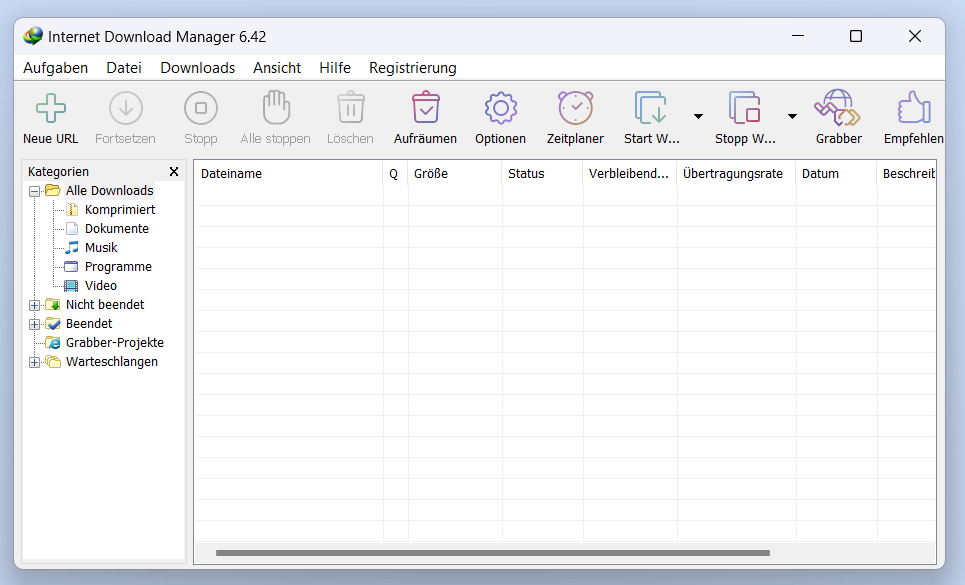
Internet Download Manager (IDM)
Advantages:
- High speed: IDM is known for its fast download speed, which is achieved through segmented downloading.
- Browser Integration: Seamless integration with popular browsers like Chrome, Firefox, and Edge.
- Simple operation User-friendly interface that is also easy to understand for beginners.
- Resume interrupted downloads: Useful for unstable internet connections.
Disadvantages
- Paid IDM is not free, but it does offer a 30-day trial.
2. Free Download Manager (FDM)
Advantages:
- Free FDM is a completely free software.
- BitTorrent Support: In addition to normal downloads, FDM also supports BitTorrent files.
- Media Converter: Built-in media converter for converting downloaded files.
- Cross-platform Available for Windows, macOS, Linux, and Android.
Disadvantages
- User Interface: Some users find the user interface less intuitive compared to other download managers.
3. EagleGet
Advantages:
- Free EagleGet is free and ad-free.
- Malware Scan: Built-in virus scanner that checks downloaded files for malware.
- Media Sniffer: Automatically detects and downloads media content from websites.
- Browser Integration: Supports Chrome, Firefox, Opera, and Edge.
Disadvantages
- Stability: Some users are reporting occasional crashes or instability.
4. uGet
Advantages:
- Open Source uGet is open-source software and therefore free.
- Lightweight: Minimalist design that requires few resources.
- Integrated Download Planner Allows scheduled starting of downloads.
- Platform-independent Available for Windows, Linux, and Android.
Disadvantages
- User Interface: The design is functional but not as modern as other alternatives.
Xtreme Download Manager (XDM)
Advantages:
- High speed: Uses dynamic segmentation to accelerate downloads.
- YouTube Downloader: Built-in support for downloading videos from YouTube and other video platforms.
- Platform-independent Supports Windows, macOS, and Linux.
- Browser Integration: Works with most common browsers.
Disadvantages
- User-friendliness The user interface can be a bit overwhelming for new users.
Conclusion
The choice of the right download manager depends heavily on individual needs and preferences. IDM offers a powerful, but paid solution, while FDM and EagleGet represent strong free alternatives. uGet and XDM are great open-source options that also have a lot to offer. Each of these alternatives to JDownloader has its own strengths and weaknesses, so it is worth trying out the different options to find the best solution for your own requirements.
FAQ: Frequently Asked Questions about JDownloader Alternatives
Why should I use an alternative to JDownloader?
There are several reasons why you might be looking for alternatives:
- Additional Features: Some alternatives offer special features that JDownloader may not have.
- User Interface: Different download managers have different user interfaces, and you might prefer one that better suits your workflow.
- Costs Some alternatives could be cheaper or even free.
- Performance Some alternatives offer faster download speeds or better integration with specific websites or services.
2. Is Internet Download Manager (IDM) free?
No, IDM is paid software, but it offers a 30-day trial version, which allows you to try out all its features before purchasing.
3. What alternatives to JDownloader are free?
Free alternatives include:
- Free Download Manager (FDM)
- EagleGet
- uGet
- Xtreme Download Manager (XDM)
Do these alternatives also support YouTube downloads?
Yes, many of the mentioned alternatives support YouTube downloads:
- Xtreme Download Manager (XDM) has a built-in function for downloading videos from YouTube and other video platforms.
- Free Download Manager (FDM) also supports downloading videos from various websites.
5. What alternatives are available cross-platform?
The following download managers are cross-platform and support multiple operating systems:
- Free Download Manager (FDM): Available for Windows, macOS, Linux, and Android.
- uGet: Available for Windows, Linux, and Android.
- Xtreme Download Manager (XDM): Supports Windows, macOS, and Linux.
6. Are there open-source alternatives to JDownloader?
Yes, uGet is open-source software that is available for free and is developed and maintained by the community.
7. Can I also download large files with these alternatives?
Yes, all the mentioned download managers are capable of downloading large files and offer features like segmented downloading to speed up the process.
8. How do these download managers integrate with my web browser?
Most of the alternatives mentioned offer extensions or plugins for common browsers such as Chrome, Firefox, Opera, and Edge, which make it easier to download files directly from the browser.
9. What alternatives offer malware scanning?
EagleGet has a built-in malware scanner that checks downloaded files for viruses and other malicious software.
10. Which alternative is best suited for users with slow internet connections?
Internet Download Manager (IDM) and Xtreme Download Manager (XDM) are particularly well-suited for slow internet connections, as they support segmented downloading and resuming interrupted downloads.
We hope this FAQ helps you find the best alternative to JDownloader for your needs. If you have any further questions, feel free to contact us or search for more information online.









No Comments found